Shape the workbench01
Open VSX · dashboards
Developer tooling and operator cockpits built for the job.
UCAN Studio · Extend
UCAN Studio brings source-code editing, debugging and terminal workflows into the same workbench as simulation, stimulation, diagnostics, test and trace. Custom dashboards, existing test systems, bench hardware and connected engineering services extend that context across integration. Python, Open VSX, HIK and MCP reduce tool boundaries and automate handoffs, keeping validation and evidence continuous throughout the workflow.
Open VSX · dashboards
Developer tooling and operator cockpits built for the job.
Custom runners
Existing test systems in one run and evidence flow.
Hardware Integration Kit
Additional CAN, CAN FD and Ethernet hardware.
MCP
Build, requirements, flashing, lab and domain services.
Python across runtime extensions · HTML and JavaScript for custom interfaces · native APIs where the bench requires them
Development workbench
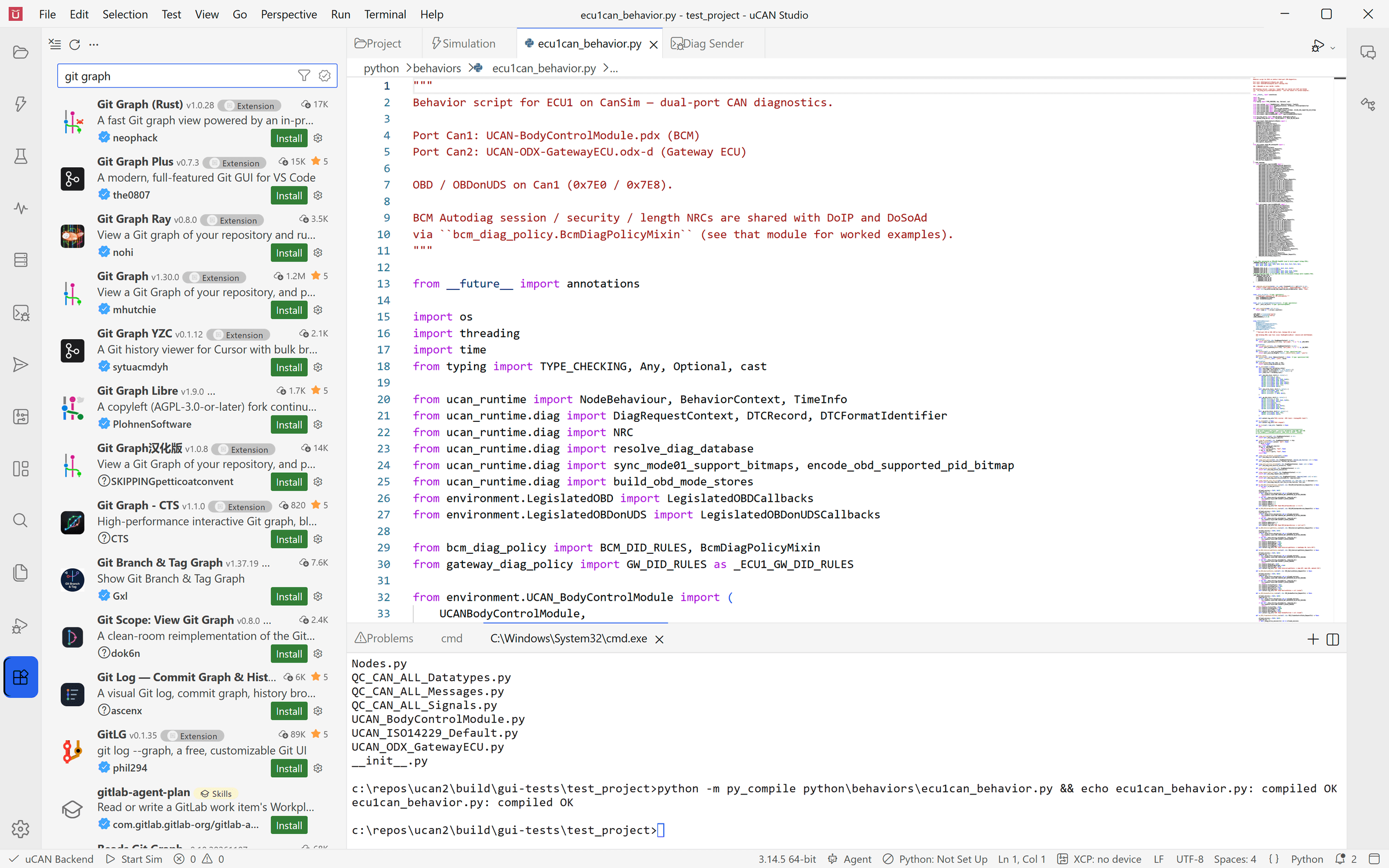
UCAN Studio includes the editor, code intelligence, search, Problems view, integrated terminal and Python debugger needed to work on the software around simulation, stimulation, diagnostics, test and trace. Open VSX adds compatible development tools when the built-in workbench is not enough.
BUILT IN
Edit and search source, follow Problems, run commands in the integrated terminal and debug Python without leaving the project.
OPEN VSX
Install compatible extensions for source control, languages, linters, formatters, debuggers, themes and other development workflows.
ONE CONTEXT
Edit code or project configuration, run the simulation or test, and inspect the resulting trace and verdict without leaving the workbench.
Custom dashboards
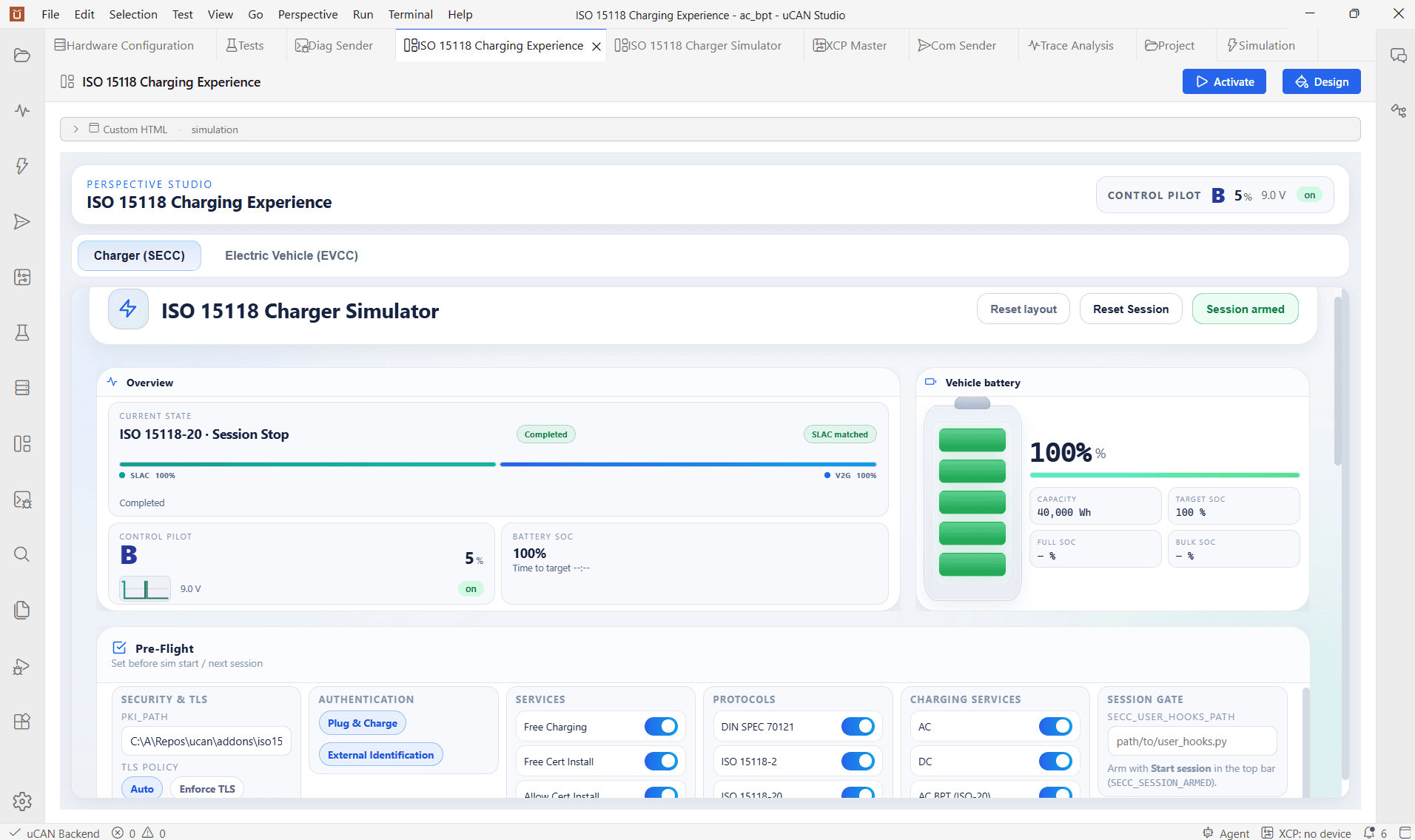
Create dashboards for a vehicle program, test bench or operator workflow. Begin with configurable widgets, then go as far as the job requires with custom HTML, CSS and JavaScript, backed by Python control logic and UCAN’s live project context.
WIDGETS
Bind standard gauges, plots, controls and indicators to live project values without writing a page from scratch.
HTML · CSS · JAVASCRIPT
Create a focused service panel or a complete role-specific cockpit with your layout, interaction model and visual language.
PYTHON CONTROL
React to actions, values and frames. Read and write environment data, control runs and coordinate project services programmatically.
Custom test runners
Bring unit, integration, static-analysis and system-test results into the UCAN Test perspective through a Python runner adapter. Existing engines can coexist with UCAN-native tests, giving teams a practical migration path without making a rewrite the price of entry.
Maps selected cases, progress, output and outcomes from the existing engine into the UCAN run.
validate · run · stop · report
Represent unit, integration, static-analysis and system-test results through one Test perspective and reporting flow.
The existing engine keeps its execution model and specialist reports. The adapter maps its selected cases, progress and outcomes into UCAN.
Create new tests with UCAN APIs while existing suites continue to run beside them. Adoption does not require a rewrite first.
Adopt without disruption
Create UCAN-native tests where they add value. Keep established tests where they already work.
Python throughout
UCAN uses familiar Python extension points across the running system. Behaviours, dashboard controls, custom runners and hardware drivers work with the project directly, so teams can extend the workflow without creating a separate proprietary scripting island.
Use Python behaviours for node logic, protocol handling and reactions to the simulated or hardware-bound network.
Connect HTML and JavaScript interfaces to live values, actions, frames and execution controls through Python scripts.
Translate an external engine’s case lifecycle and results into the UCAN run without moving its implementation.
Start with a Python hardware driver when rapid integration matters, with a native path available for performance-sensitive work.
Hardware Integration Kit
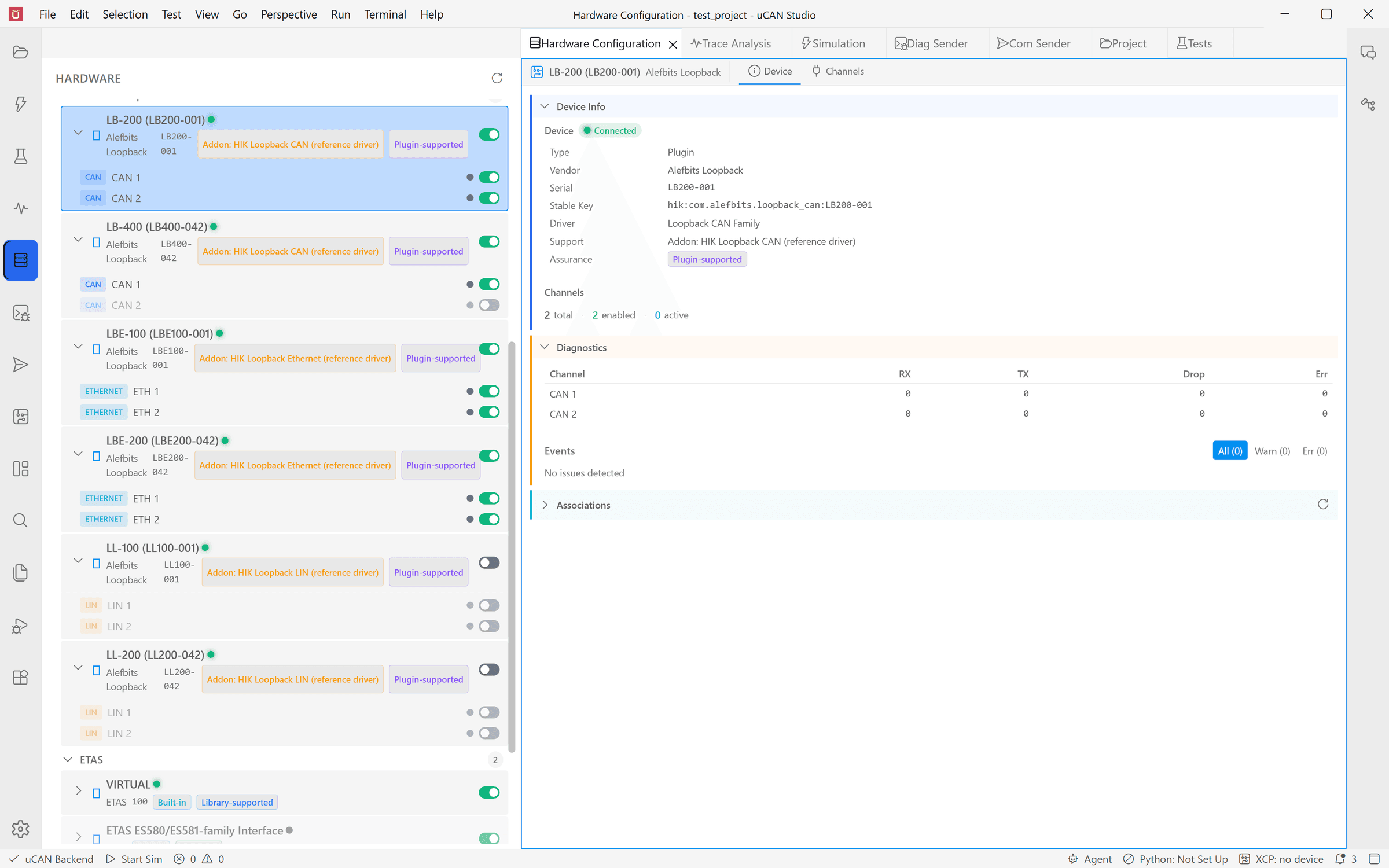
Integrate additional CAN, CAN FD and raw Ethernet hardware through a Python driver or a native C plugin. Once connected, its channels join UCAN’s hardware inventory and become available to Trace, Simulation and hardware-mode tests.
Python driver
Implement device discovery, channel configuration, receive and transmit behaviour in Python, then validate the driver against the HIK conformance checks.
Native plugin
Use the native interface when a high-throughput driver or an existing vendor SDK belongs closer to the data plane.
One channel model
Configure the channel once, then bind it to a simulation bus, capture its traffic or select it for a hardware test.
MCP-connected workflows
MCP servers you configure give the uCAN Agent capabilities beyond the workbench. Connect general engineering services or domain-specific workflows, then carry the result into simulation, stimulation, test and trace without losing the project context.
Your connected tools
One project context
Tools you add join native UCAN capabilities under the same permission gate.
The validation loop
Expose build, CI, requirements, issue, review, flashing and lab services through MCP servers you configure.
Give the agent specialist tools and prompts for internal systems, engineering methods and domain services that UCAN cannot know in advance.
MCP tools enter through the same agent permission gate, with project rules and audit context around their use.
Demo · 30 minutes · online
A 30-minute screen-share with an Alefbits engineer: explore a purpose-built dashboard, connect an existing test system through a custom runner, inspect the Hardware Integration Kit and follow an MCP-connected workflow from a development action to validation evidence.
Request a demoAfter the demo
If UCAN Studio fits, the next step is an evaluation on your bench: we agree the scope in a short call, then set up an evaluation environment for your hardware and standards, with a named engineer for questions.
Contact us